Getting Started with cURL
I write technical Blogs
cURL

What is cURL?
Think of the internet as a network of restaurants, and you as a customer.
Servers are the kitchens where food (data) is prepared
Browsers are like waiters; they take your order and handle everything for you
cURL lets you skip the waiter and talk directly to the kitchen from the terminal
With cURL, you send a message straight to the server and immediately see what it replies.
cURL is a command-line tool that allows you to send requests to a server and view the server’s response instantly.
Why Programmers Need cURL.
To communicate directly with servers
Programmers need a way to talk to servers without a browser. That's where cURL help them to talk directly to server.
cURL sends HTTP requests straight from the terminal and shows the server’s reply immediately.
To test APIs quickly
Before building apps or UIs, programmers must check:
Is the API working?
Is data coming correctly?
Are errors happening?
With cURL, they can test APIs in seconds.
To work without a frontend
Backend developers often don’t have buttons, forms, or pages.
cURL acts like a temporary frontend. They use it to:
Fetch data (GET)
Send data (POST)
To understand the request–response clearly
Browsers hide what’s happening in the background.
cURL shows:
Raw server response
Status codes
Actual data returned
This builds strong backend and networking fundamentals.
To debug problems easily
cURL helps identify where the issue is:
If cURL works → frontend problem
If cURL fails → backend or server problem
Saves time and confusion.
For automation and scripts
Programmers use cURL in:
Shell scripts
CI/CD pipelines
Server monitoring
Because it’s:
Lightweight
Scriptable
Reliable
Because it’s available everywhere
cURL works on:
Linux
macOS
Windows
Cloud servers
No extra setup needed.
summary
Programmers need cURL to test, debug, and communicate with servers and APIs directly from the terminal.
Your first cURL command
eg: curl https://google.com

curl https://chaicode.com
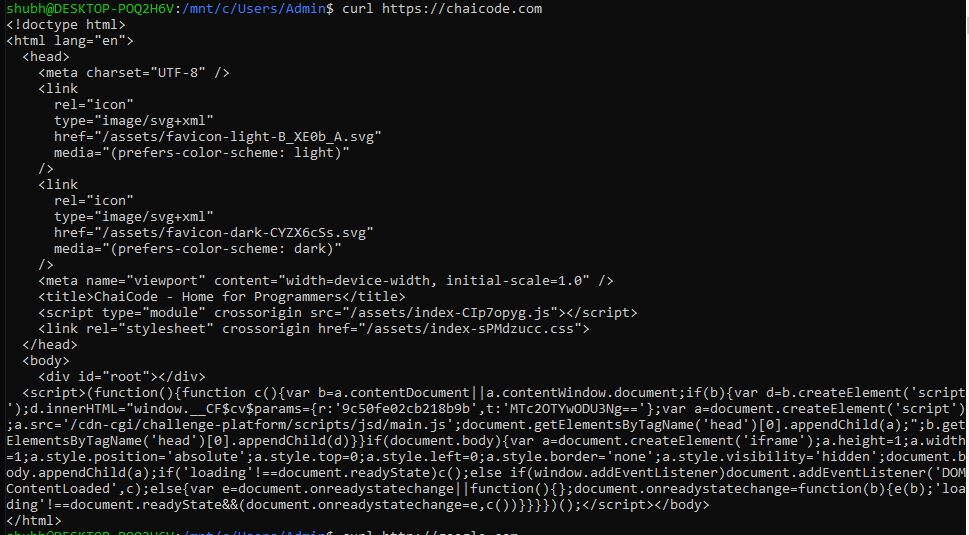
Here are some examples showing how cURL returns HTML responses.
Understanding request and response
Every time your computer talks to a server, the communication follows the same simple pattern.
There are two parts involved in every server interaction:
A request sent by the client
A response sent by the server
Request
Examples of requests:
“Give me this webpage”
“Give me some data”
“Send me user details”
The client always starts the conversation.
The server only responds when a request arrives.
Response (From Server to Client)
A response is the server’s reply to a request.
Every response contains two important parts:
1. Status
The status tells you whether the request succeeded or failed.
It answers questions like:
Did the server understand the request?
Was the resource found?
Did something go wrong?
2. Data
The data is the actual content returned by the server.
It can be:
HTML (for websites)
Text
JSON (for APIs)
Common HTTP Status Codes
200 – Success
The request worked and data was returned.404 – Not Found
The requested resource does not exist.500 – Server Error
The server failed while processing the request.
Using cURL to talk to APIs
curl https://api.github.com
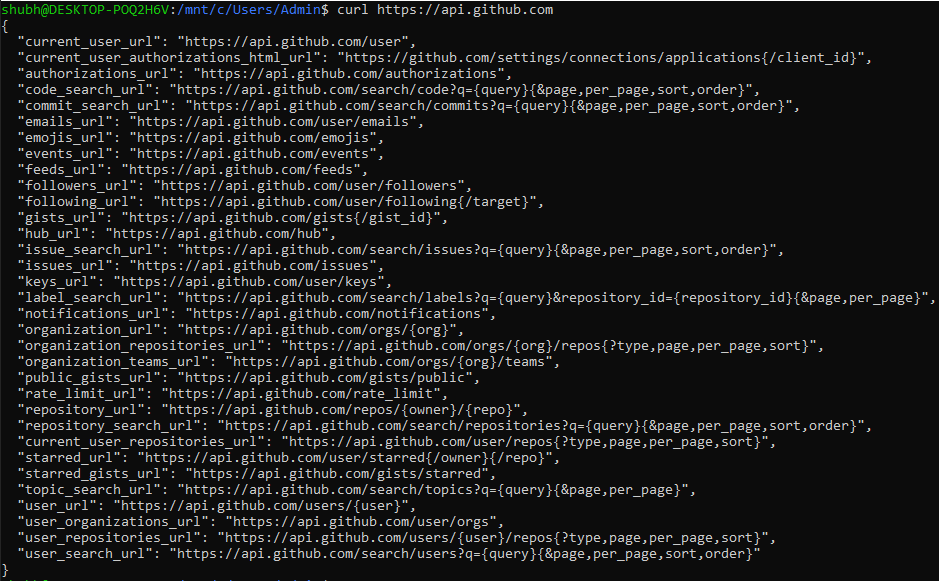
This command sends a GET request to the GitHub API.
The server responds with JSON data listing available API endpoints and resources.
Common Mistakes Beginners Make with cURL
Thinking cURL is only for downloading files.
Expecting a rendered webpage instead of raw HTML or JSON.
Ignoring the HTTP status code in the response.
Copy-pasting long cURL commands without understanding them.
Assuming errors mean cURL is broken, not the request or server.